Preparing your download
WORKetc CRM + Projects App for Chrome is being verified and prepared...
Choose an Option
What is WORKetc CRM + Projects App for Chrome?
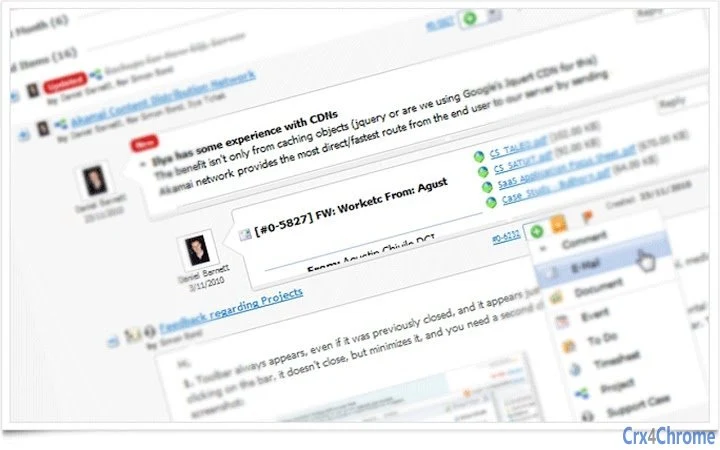
WORKetc combines CRM, project management, billing, sales, help desk and more with a powerful automation engine to drive your business to the next level.★ Combined CRM, Projects & Billing★ Gmail Widget - turn email into leads, tasks & more★ Two-way Google Contacts sync★ Advanced tools like Custom Fields------------------FEATURES:------------------★ integrated CRM, projects, billing, help, time sheets, help desk, documents, calendars and more.★ smart Gmail gadget to turn emails into WORKetc contacts, leads, support cases and more★ integrated Google docs to attach documents to contacts, projects, sales leads and more★ Mobile Web, Android and iPhone apps★ Real customer support, we actually use our own product (WORKetc) to manage our own business★ multiple language support (Spanish, French, Italian, German, Mandarin)-----------------BENEFITS:-----------------★ a true CRM giving you a complete view of your customers such as invoice history, purchases, projects, support cases and sales.★ manage your entire business inside of Gmail. Take an email and create a new contact, assign to your team as a support case, attach to a project or update a sales lead.★ a single platform to manage your entire business. No costly integrations, no time wasting double-entry★ stay on top of your business with real time reporting and company wide searches-------------------------------CUSTOMER STORY:-------------------------------"Google apps & Worketc together are now the lifeblood of my business. Priority emails can be shared with my team are tagged in the Worketc gadget inside of Gmail. Immediately anyone assigned to a project or lead has access to the new info, no forwarding emails or CC'ing..." continue reading @ www.WORKetc.com
How Download Works
Go to the Softpas website, press the 'Downloads' button, and pick the app you want to download and install—easy and fast!